Staffnet+ >
Have a Corporate Device and Not on the New Staffnet Yet? Here's What to Do
Have a Corporate Device and Not on the New Staffnet Yet? Here’s What to Do
02 February 2026
Our new Staffnet site has launched today. Most people should now be taken to it automatically, as it replaces the old Staffnet Legacy as your default browser tab.
If you’re still seeing Staffnet Legacy, don’t worry - it’s easy to fix.
Who can access the new Staffnet right now?
At the moment, the new Staffnet is only available if you:
- use a corporate device (a laptop issued by the Council’s corporate IT team)
- have a Vale Microsoft account
If you work in a school or in a frontline role, we’re working on getting you access as soon as possible.
For now, we’ll keep updating Staffnet Legacy so you don’t miss any important information.
How to access the new Staffnet
Try these steps in order:
- Step 1 — Connect to the VPN
- Connect to the VPN, then refresh your browser.
- You can do this by closing your browser fully or opening a new tab.
- This solves the issue for most people.
- Step 2 — Restart your device
- If Step 1 doesn’t work, restart your laptop.
- Once it’s back on, connect to the VPN before opening your browser.
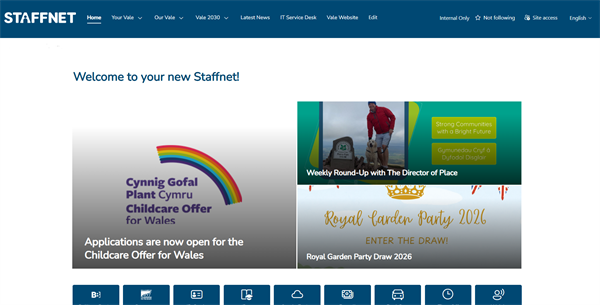
You’ll know it’s worked when you see a tab that looks like this:
Still not working?
If you’ve tried the steps above and you still can’t access the new Staffnet, please raise a Halo ticket so the team can help.